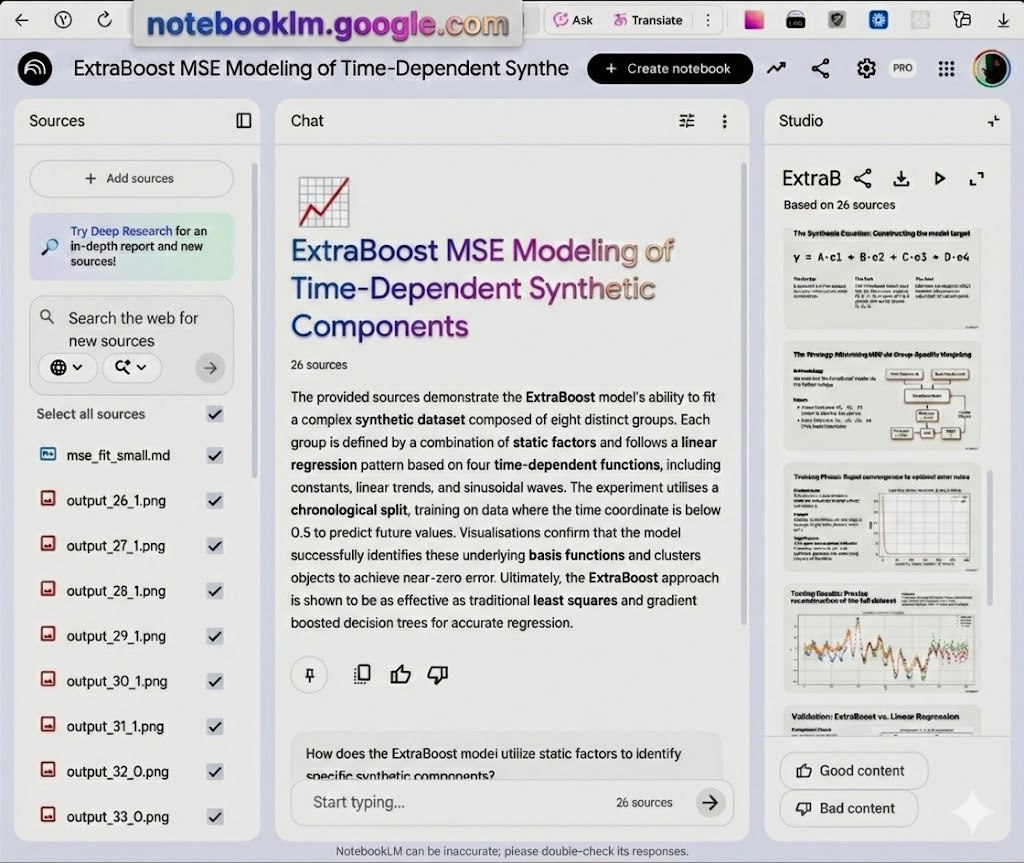
NotebookLM
I’m working on a presentation about gradient-boosted decision trees. It’s definitely not my first rodeo: I’ve made decks in LaTeX/Beamer, Word, PowerPoint… probably a few other things too.
These days it feels almost wrong not to use AI tools for a task like this. After a bit of “deep research” I ended up with a shortlist of things to try, and decided to focus on NotebookLM.
To be fair, NotebookLM wasn’t my starting point. I’d already spent some time in Visual Studio Code writing a gbdte.md file and collecting visuals from old presentations, Jupyter notebooks, and some fresh sketches.
The first attempt was surprisingly good. I uploaded my materials into the left panel, found the Slide deck button on the right, clicked it — and got an automatically generated presentation that looked nice, had a consistent style, and the English was pretty decent.
The downside: everything is basically baked into images. You can’t tweak a single formula, fix one label, or move one arrow. In NotebookLM the only real control knob is the prompt — so you rewrite the prompt and pull the one-armed bandit lever again. I tried that a few times and didn’t like where it went.
So my final workflow is… kind of dumb. I screenshot slides from the NotebookLM deck, edit them in GIMP if needed, and paste the results into Google Slides.
I honestly don’t know if this is faster than building the presentation carefully, piece by piece, the way I did before the AGI era. But it’s a bit more fun — and it’s something you can do when you’re slightly tired, when the “proper” workflow feels like too much.